
Introduction
The objective of prototypes:
- Generating new ideas
- Evaluating new ideas (within the design group)
- Testing new ideas (with users)
Different tools and techniques are used according to:
- The stage of design (early, …, advanced, final)
- The intended audience (designers, test users, clients, management, …)
Techniques
- Sketches
- Maps
- Low Fidelity Prototypes (paper)
- Video Prototypes
- Medium Fidelity Prototypes
- High Fidelity Prototypes
Low Fidelity Prototypes
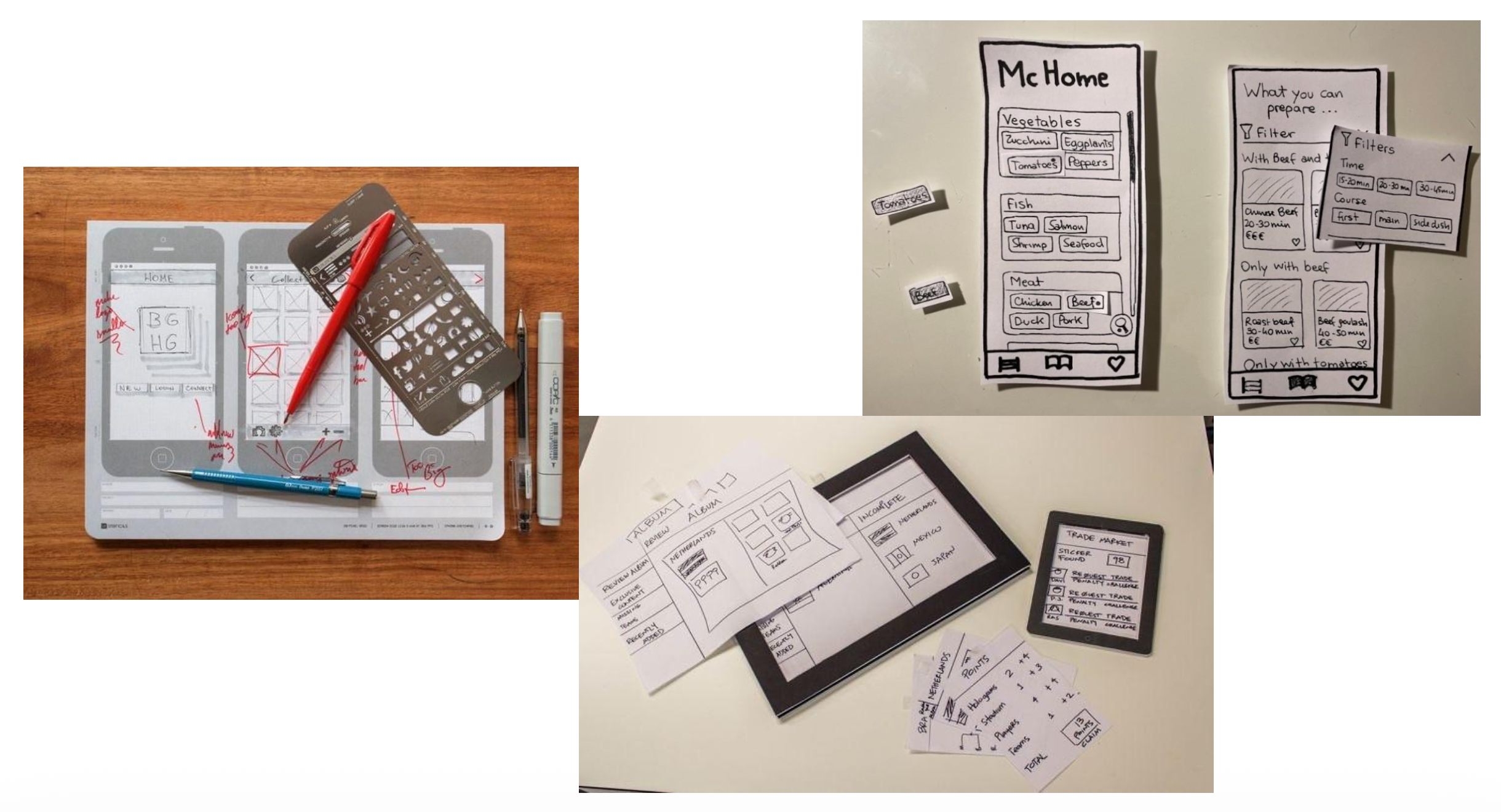
A hand-drawn mock-up of the user interface (usually) on multiple sheets of paper of varying sizes, useful because you can start using and test an application, months before implementing it.
Caratteristics
Interactive paper mockup:
- Sketches of screen appearance
- Paper pieces show windows, menus, dialog boxes
Interaction is natural:
- Pointing with a finger = mouse click
- Writing = typing
A person simulates the computer’s backend:
- Putting down & picking up pieces
- Writing responses on the “screen”
- Describing effects that are hard to show on paper
Positives
Faster to build: Sketching is faster than programming
Easier to change: Easy to make changes between user tests, or even during a user test
Non-programmers can help: Only kindergarten skills are required
Focuses attention on big picture
- Designer doesn’t waste time on details
- Customer makes more creative suggestions, not nitpicking
How to Test
The Design Team should cover these roles:
Computer Actor:
- Simulates prototype
- Does not give any feedback that the computer would not
Facilitator:
- Presents interface and tasks to the user
- Encourages user to “think aloud” by asking questions
- Keeps user test from getting off track
Observer:
- Keeps mouth shut
- Takes copious note
Learnable Lessons From Paper Prototypes
Can Learn
- Conceptual model: Do users understand it?
- Functionality: Does it do what’s needed?
- Navigation & task flow: Can users find their way around?
- Terminology: Do users understand labels?
- Screen contents What needs to go on the screen?
Cannot Learn
- Feel: efficiency issues, Response time.
- Are small changes noticed?: All the small changes are clearly visible to the user in a paper prototipe, but not on the real app.
- Exploration: users don’t explore as much on a paper prototype.
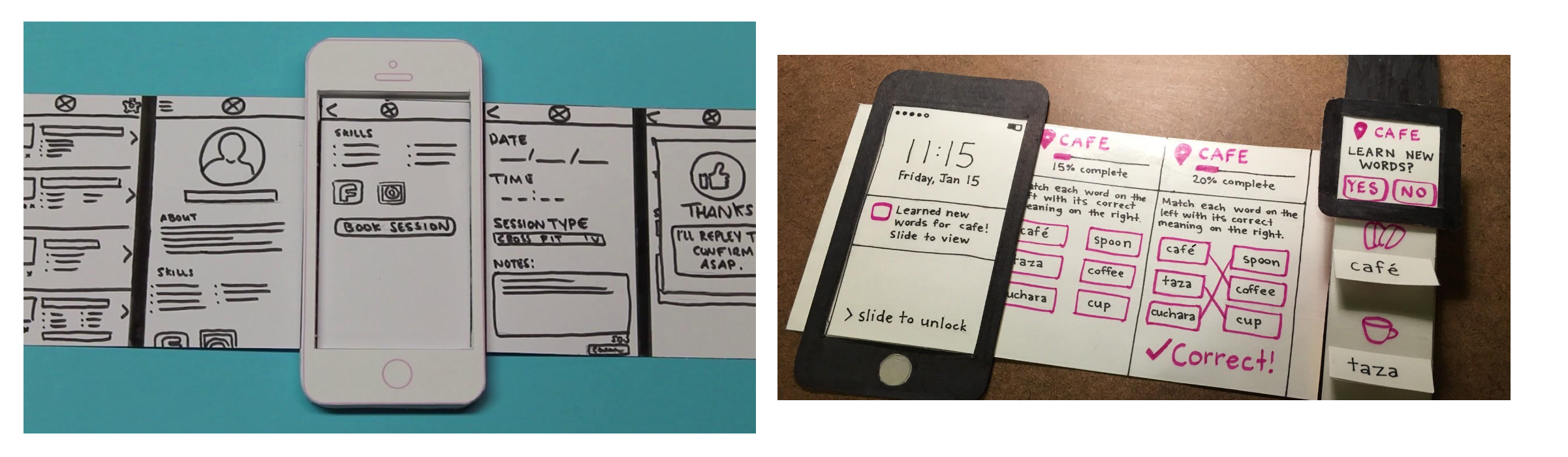
Dynamic Screens example
Medium Fidelity Prototypes
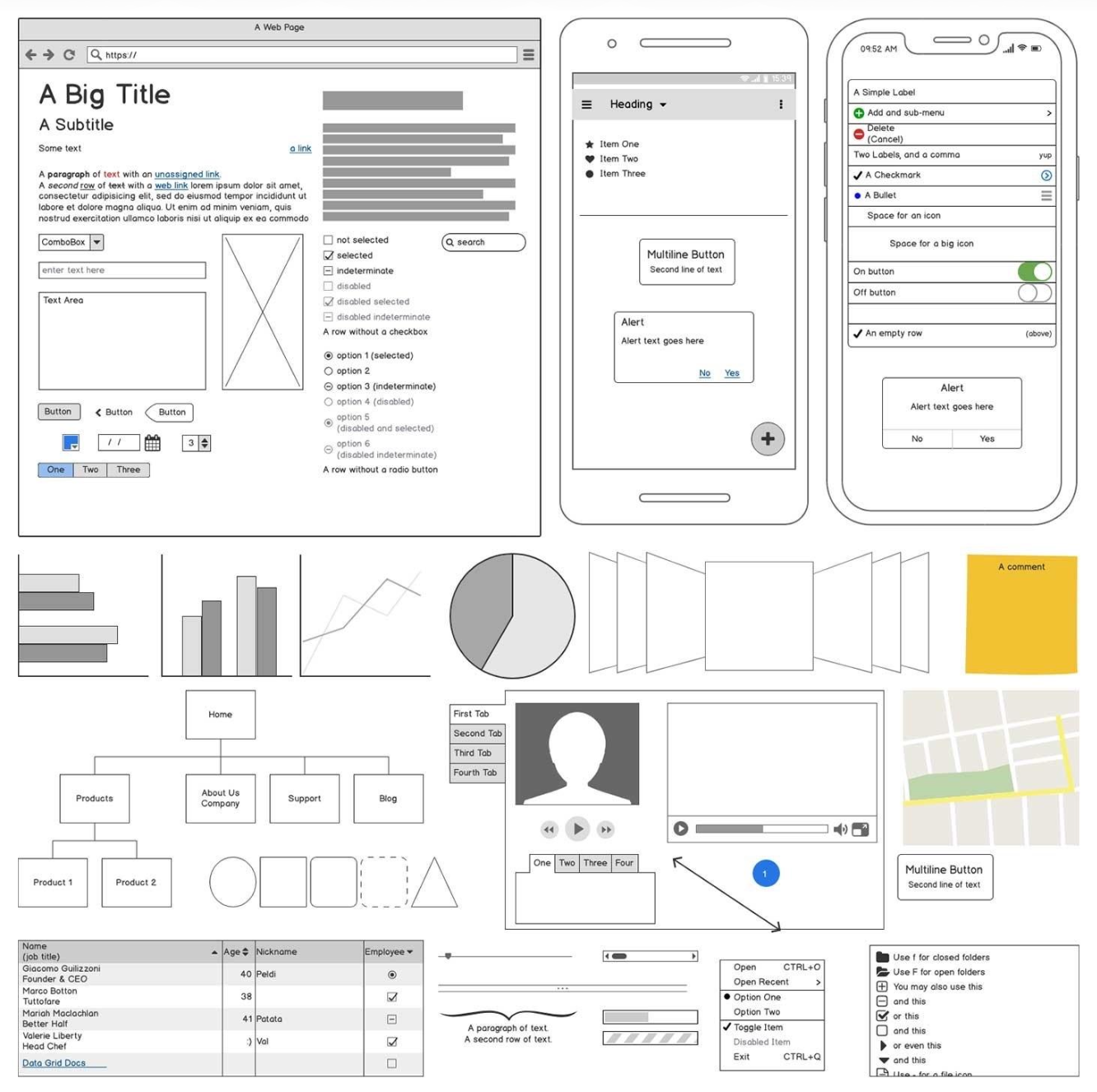
Medium Fidelity Prototypes also known as “Mockups” or “Wireframe interface”, are designed and used using Interactive software simulation:
- Renders user interface
- Accepts some user input
- Responds by switching pages
The design is based on a single screen or a set of connected screens that follow the actions of a task.
The stile is “imprecise” and gray scale since is inspired by hand drawing:
- Want to convey the impression that the design is still preliminary
- usually static information (predefined pages, only)
Negatives
Click, not interact:
- No text entry, no data entry, no real selection of listed data
- Widgets aren’t active
The tester is engaged in a “hunt for the hotspot”, to find the (few) only widgets that really clickable:
- Good for testing understanding of the UI and the workflow
- Not good for testing the UI behavior
High Fidelity Prototypes
Actual computer application, with final-looking layout, colors, and graphics
- May use design prototyping tools
- May use real application code
When tested, people will mostly comment about colors, fonts, …
Negatives
Much more expensive to build
What can we lean from them
Screen layout: Is it clear, overwhelming, distracting, complicated? Can users find important elements?
Colors, fonts, icons, other elements are well chosen?
Interactive feedback: do users notice & respond to status bar messages, cursor changes, other feedback
Efficiency issues: Controls big enough? Too close together? Scrolling list is too long
Wizard-of-Oz Prototype
Goal: test an application where some of the features are not implemented yet or are not implementable with current technology.
How: Software simulation with a human in the loop to help.
Implementation
Choose supported tasks and scenarios
- Create User Interface mock-ups
- Implement a part of the system
- Leave “hooks” for the Wizard’s actions
Implement a back-office interface for the Wizard
Define “rules of behavior” for the Wizard
- When he should respond
- How it should respond (the “algorithm”)
Benefits
- Faster and cheaper than most interactive prototypes
- Creating multiple variations is easy
- Identifies bugs and issues with current design
- Can envision applications that are difficult to build
Risks
May be over-optimistic:
- Speech recognition that always works (instead of having an error rate)
- Super-intelligence (that will never exist)
Wizard behavior is difficult:
- Take into account system limitations
- Hard to emulate expected system response within acceptable timing
Needs at least two researchers.